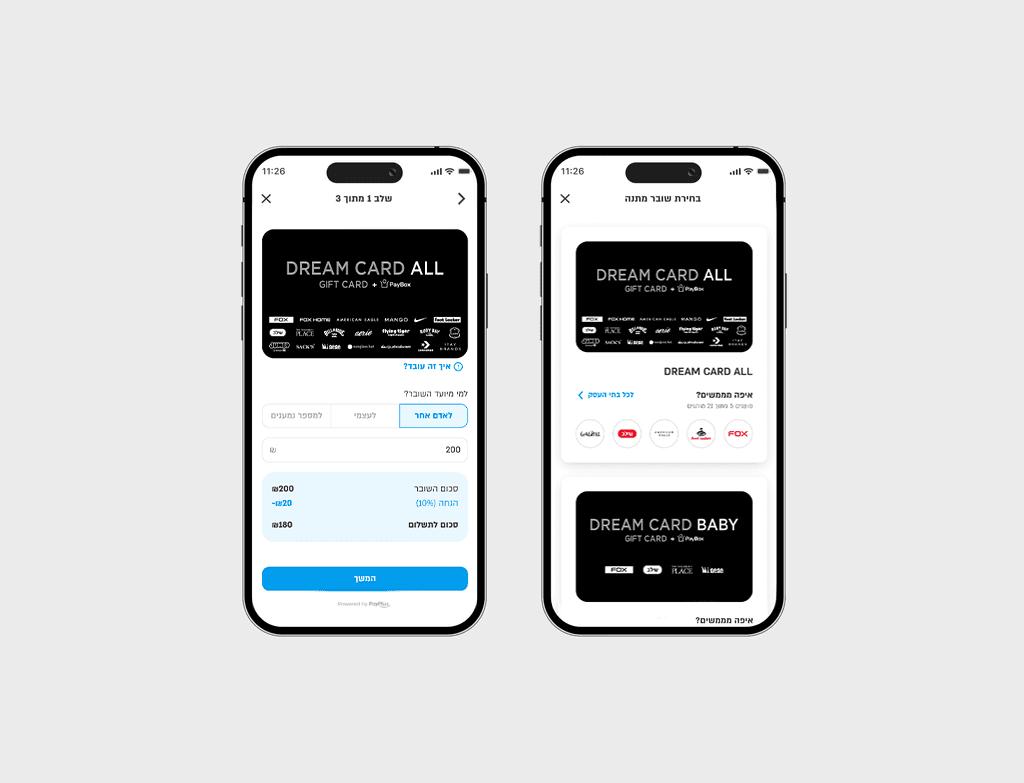
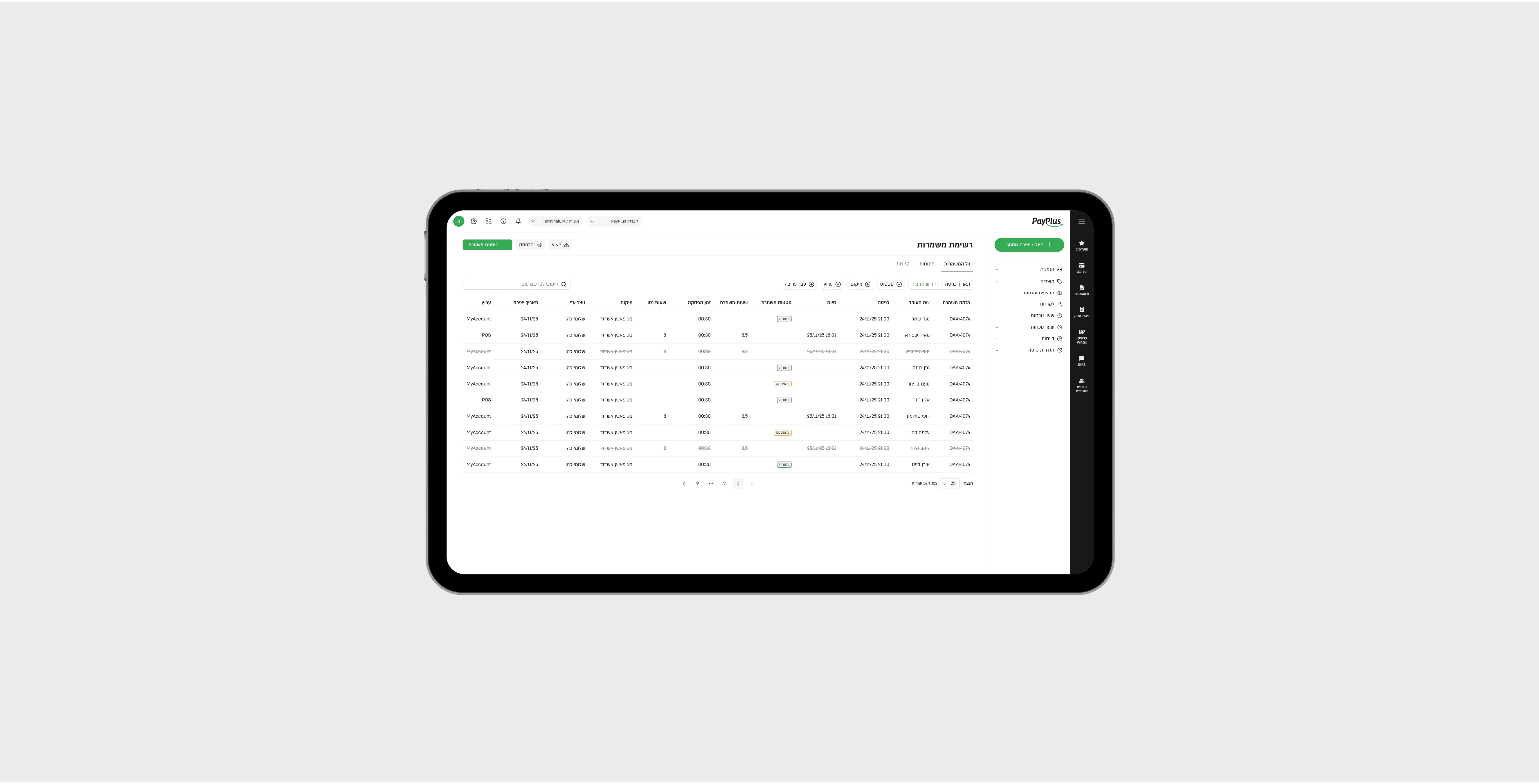
How I solved the pain of issuing employee voucher cards
Vending
Workflow Design
Role
Product Designer
Timeline
8 weeks
team
2 Devs, 1 PM, me
platform
Web and mobile
The Project
PayPlus Meal Vouchers is an MVP for managing employee voucher programs across employers and vending machine operators. The product supports the full lifecycle of a voucher program: creating benefit rules, issuing vouchers, validating redemptions, and generating usage reports for settlement and operations.
The Problem
PayPlus operators (vending machine companies) had no internal tool to manage employee meal benefit programs. Admins had no way to issue, track, or control vouchers across multiple employers and machines, and there was no redemption logic tied to business rules. Everything was manual, disconnected, and unscalable.
My Role
I was the Product Designer on the project and owned the UX and UI end to end.
I translated a dense product brief into a structured experience that could support administrators, operators, and real-world redemption flows.
🎯 Designed the core user flows and screen hierarchy.
🧠 Mapped the information architecture across programs, vouchers, and transactions.
🤝 Worked closely with the PM and developers to align on behavior, states, and edge cases.
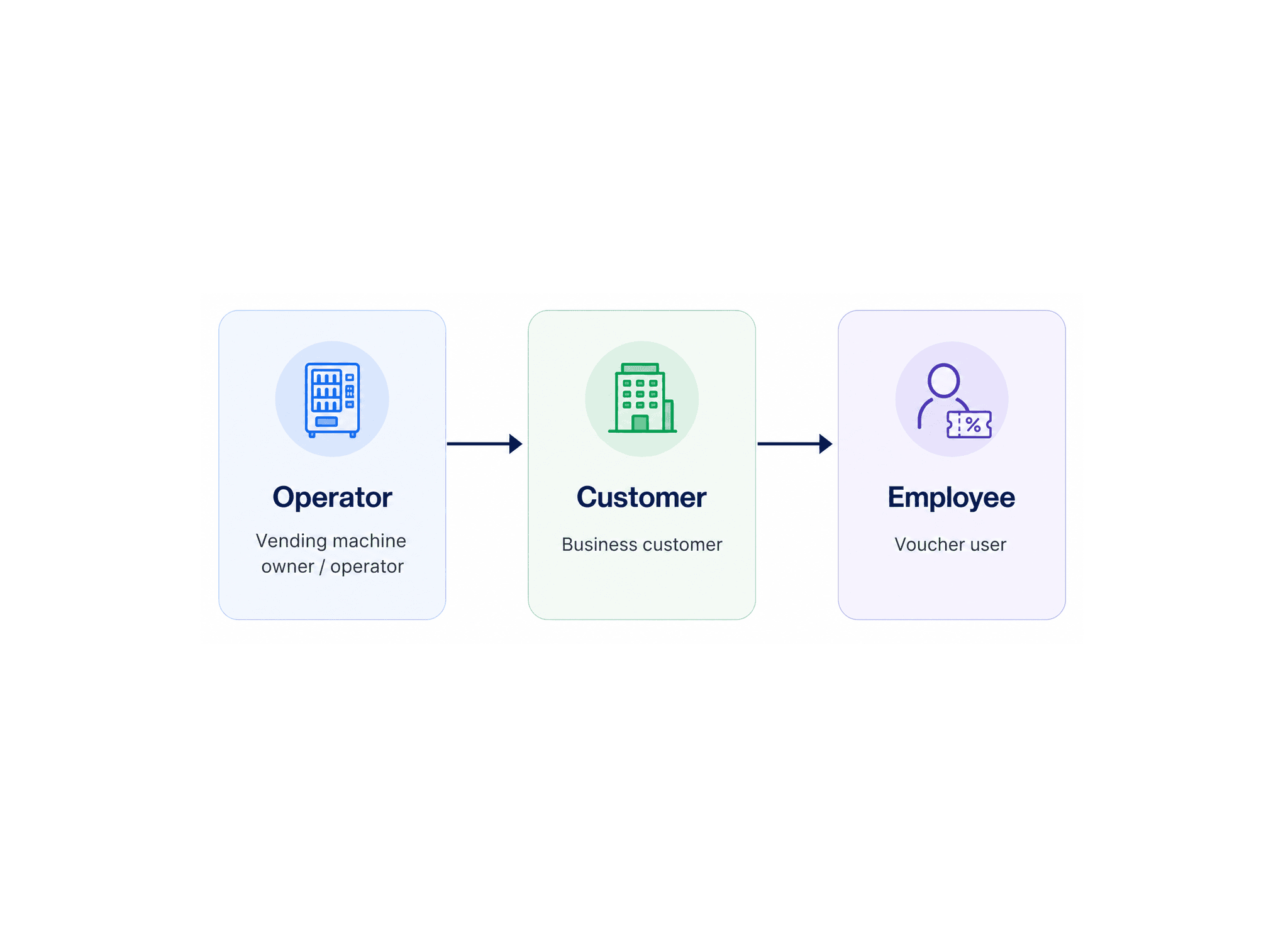
Who We Designed For
Three distinct users: the PayPlus admin who creates benefit programs and manages vouchers across employers, the operator client (vending machine company) who needs usage reports for financial settlement, and the employee who uses a voucher at a vending machine and expects a frictionless redemption. Each had entirely different needs within the same system.
What We Built
We built a B2B voucher management system that brings together program setup, voucher issuance, voucher lifecycle controls, redemption validation, and reporting in one workspace.
The goal was to give operators and employers a clear way to manage employee meal benefits without adding unnecessary complexity.
Challenges & Trade-offs
The hardest challenge was fitting multiple rule types, daily and monthly budgets, usage caps, and machine restrictions into a single program creation form without overwhelming the admin. We made all fields optional by default so the form feels light, with validation only on save. Features like HR system integration, employee management, and product-level restrictions were explicitly left out of the MVP to keep the scope clean and shippable.
How I Approached It
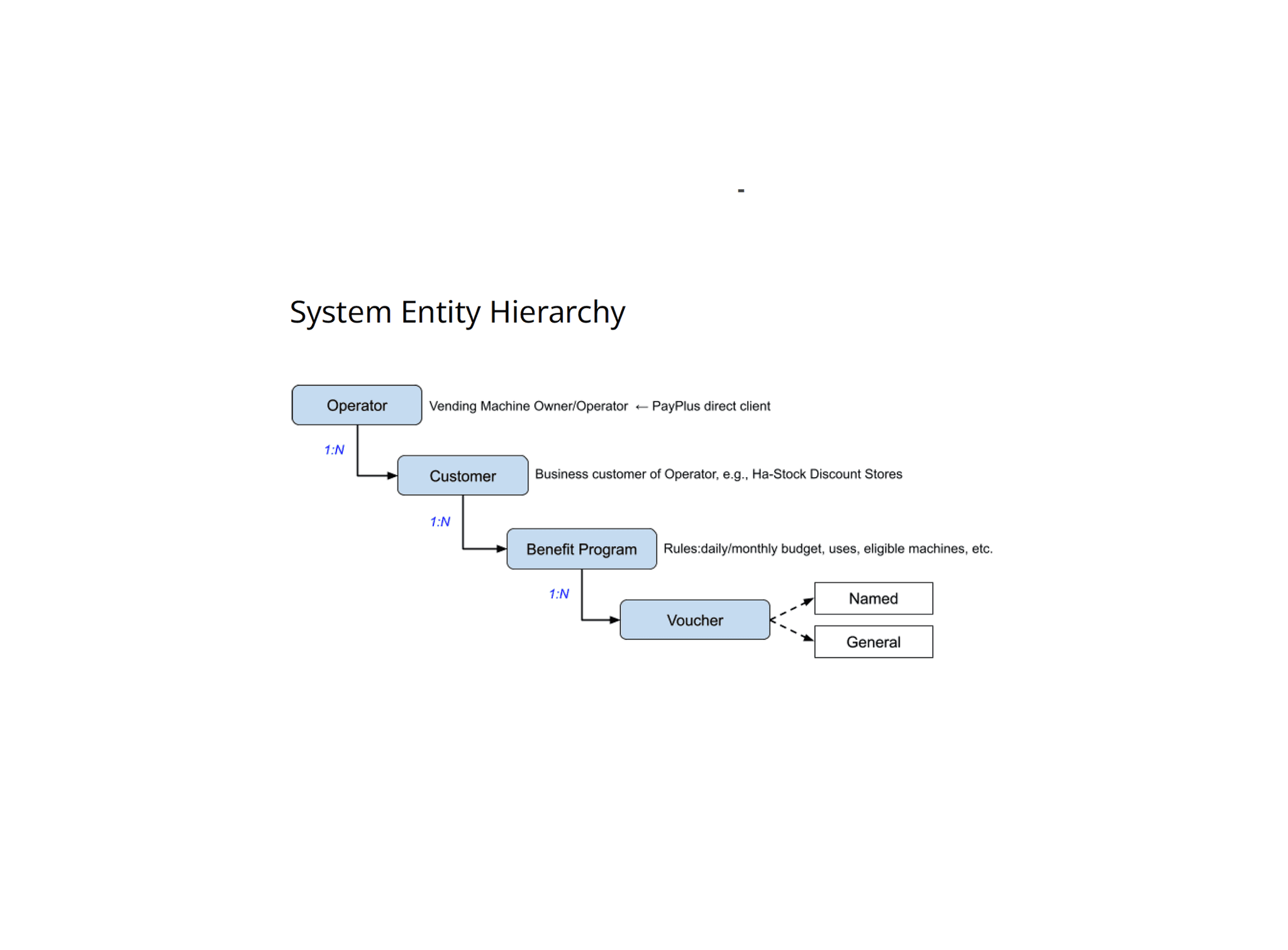
🛠️ I started by mapping the system entities and their relationships, so the structure would make sense before any screens were designed.
From there, I broke the product into clear user tasks: program setup, voucher issuance, voucher management, and redemption reporting.
This helped me design flows around user intent instead of around raw data structure.
🪜 Progressive disclosure kept the interface focused.
🧭 Clear navigation helped users move between setup, issuing, and monitoring.
✅ Strong validation and state feedback reduced mistakes before they happened.
Benefit Programs
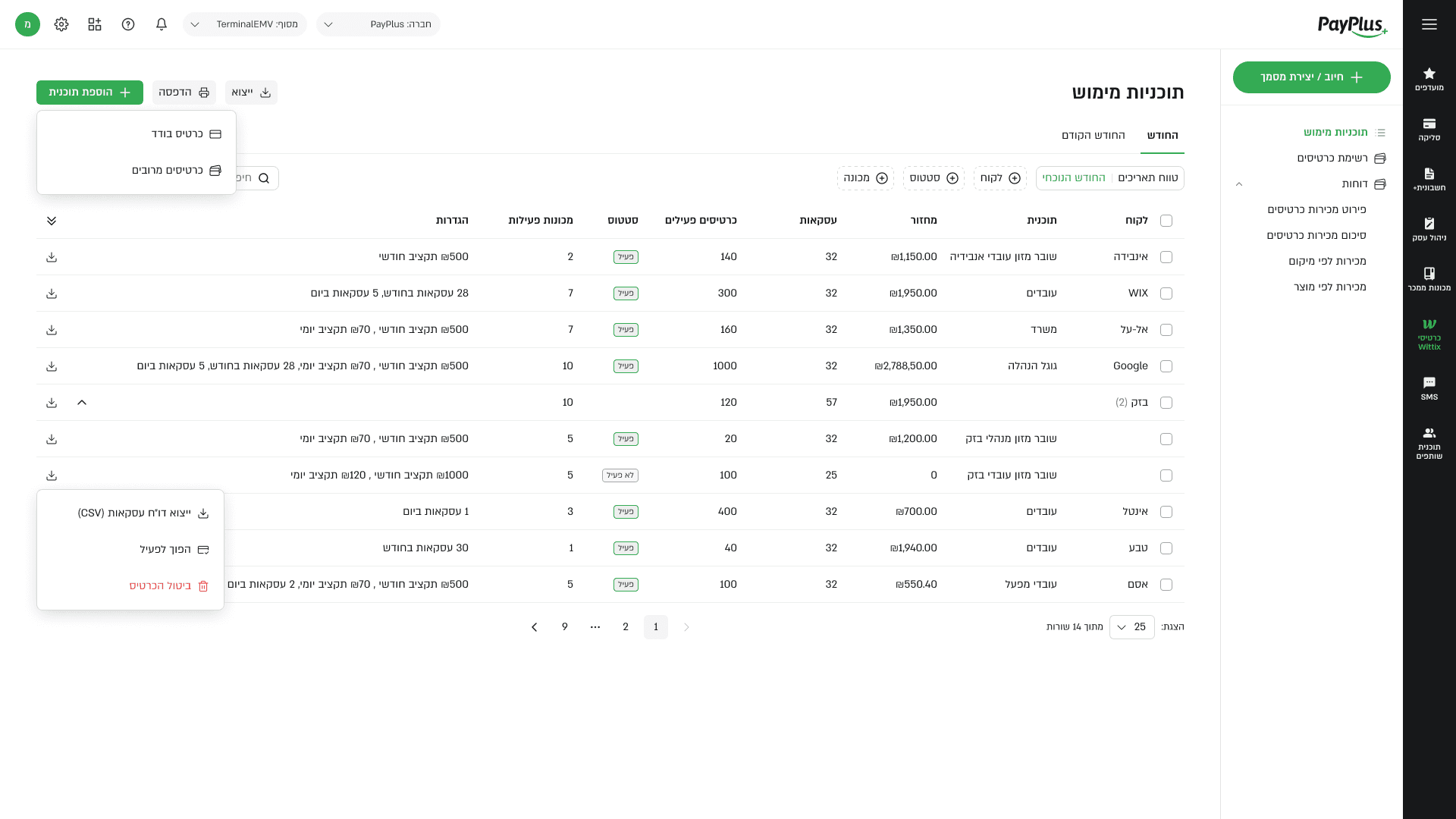
A central view of all benefit programs, showing status, assigned rules, linked machines, and usage data.
The goal was to support fast scanning and efficient management of multiple programs in one place.
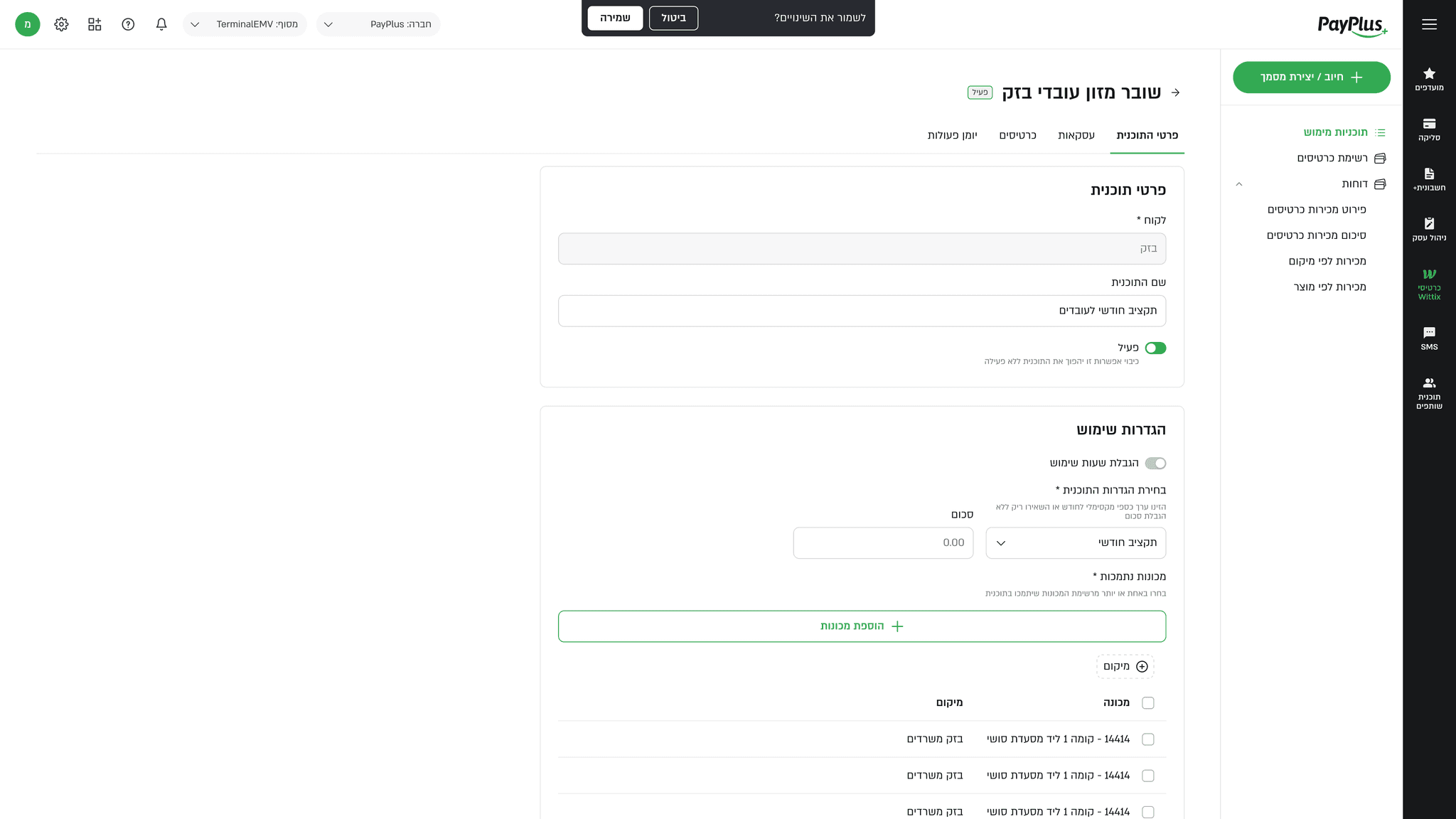
Create Program
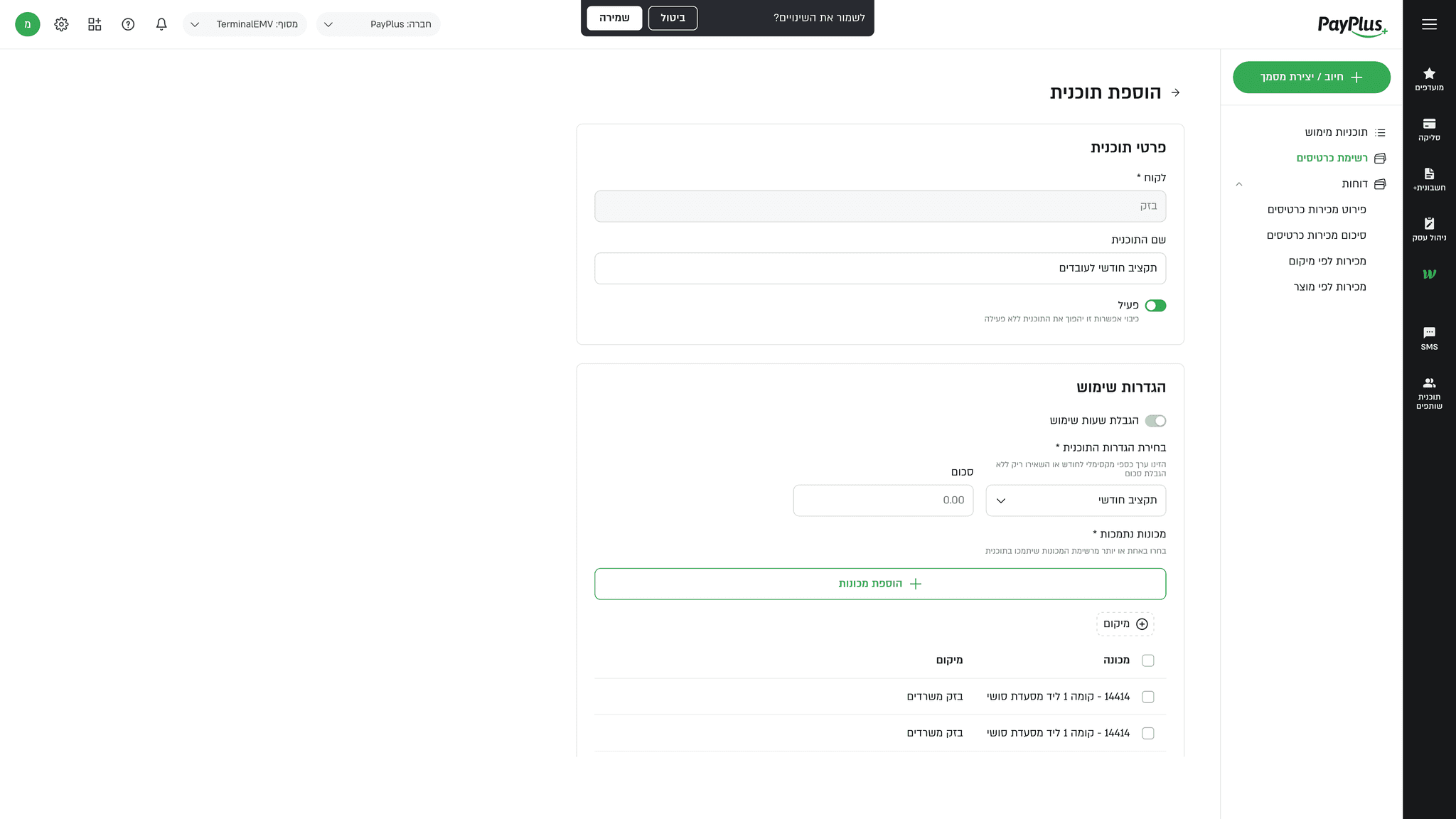
A structured flow for creating a new benefit program, defining budgets, usage limits, and eligible machines.
The experience guided users step by step to reduce errors and ensure the program was valid before activation.
Program View
The main management page for a program, combining setup details, voucher management, and redemption data.
Tabs made it easy to switch between editing, viewing vouchers, and tracking transactions and reports.
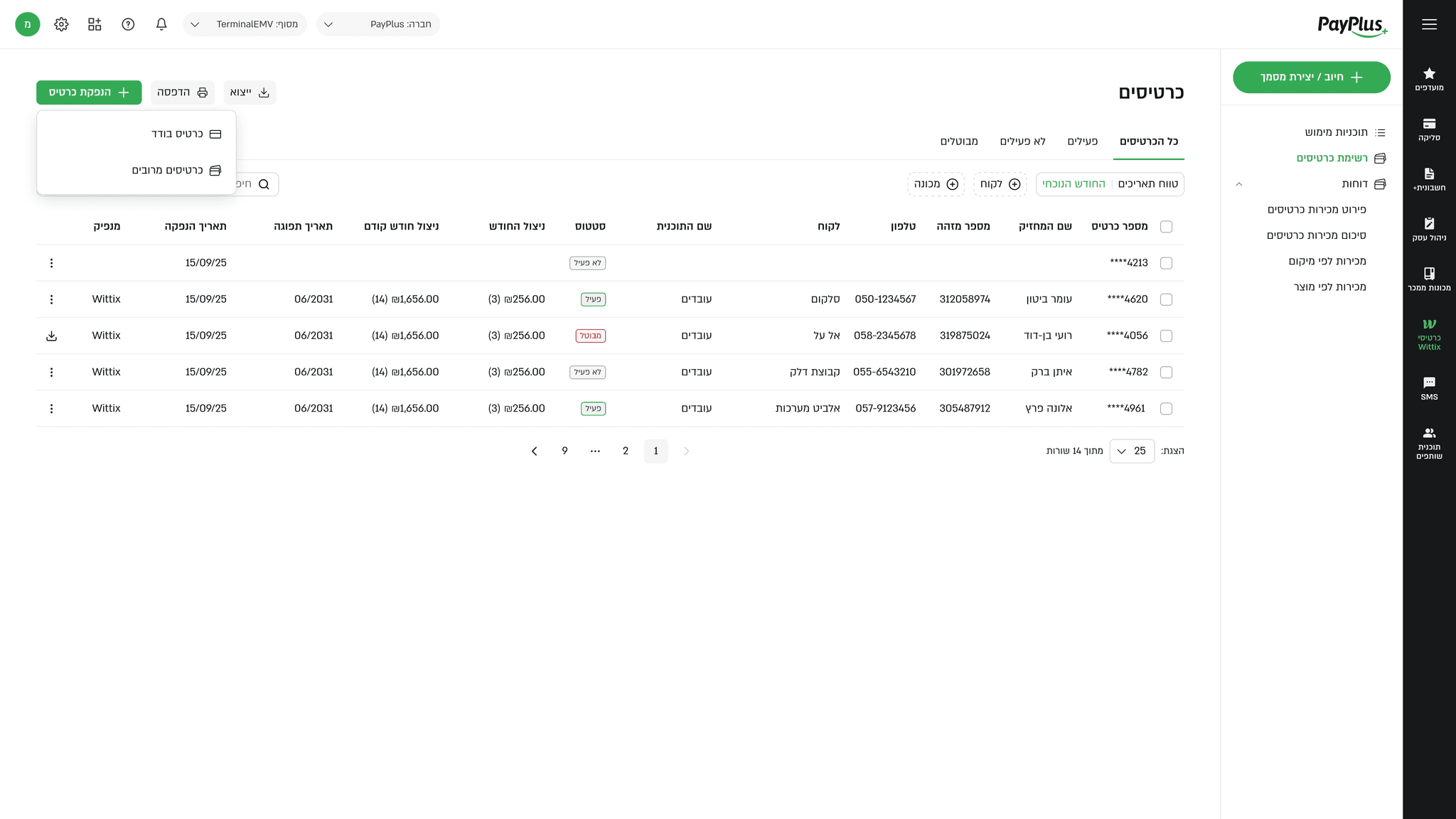
Employee Cards
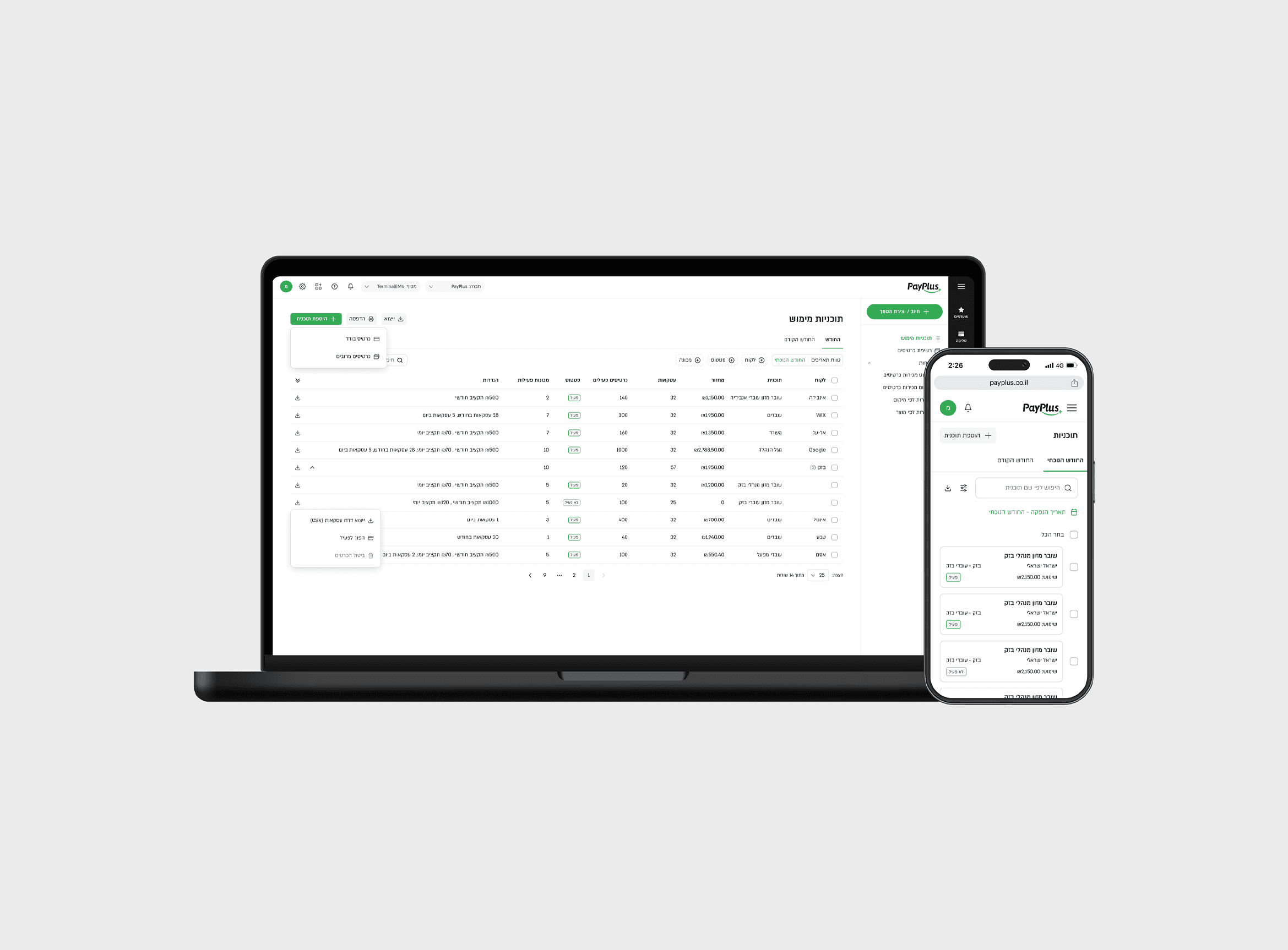
A management view for vouchers issued to employees, with a clear snapshot of status, expiration, holder details, and usage.
It supported actions like activate, deactivate, cancel, and advanced filtering by voucher or employee data.
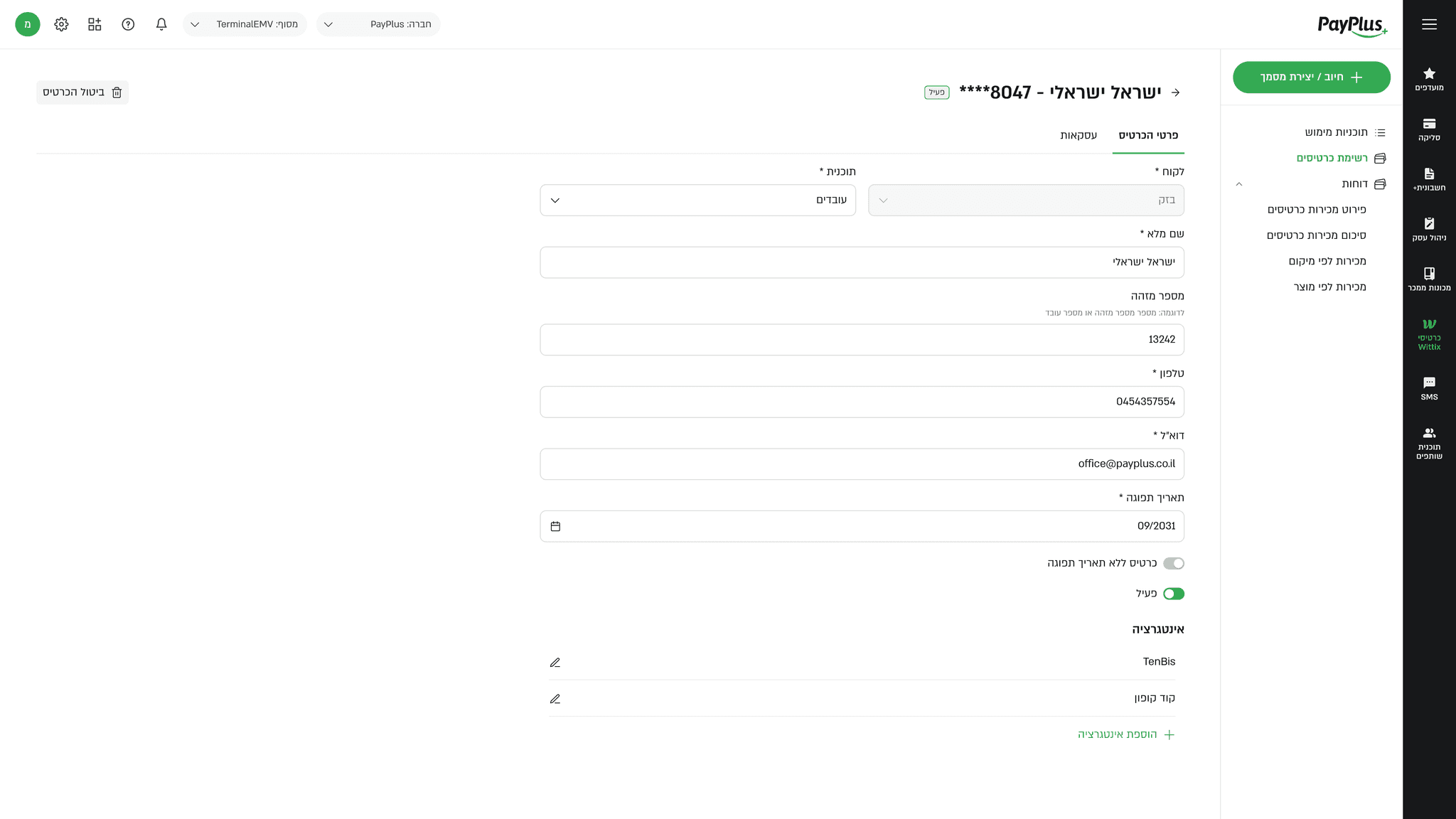
Employee Profile
A consolidated profile of the voucher holder, including personal details, card status, and usage history.
The goal was to connect the employee, the card, and actual redemption activity for complete operational visibility.
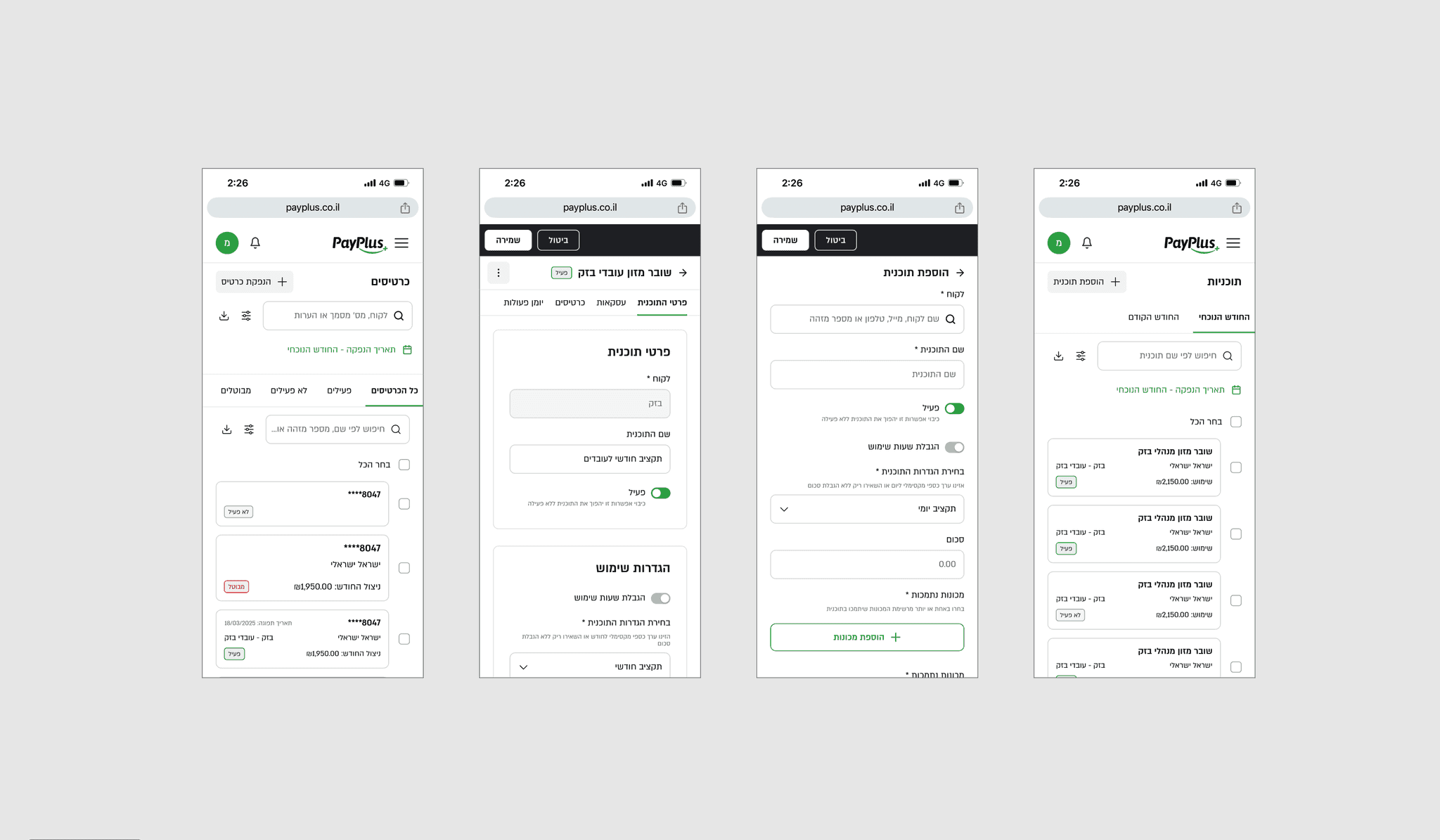
Mobile
Mobile needed special attention because this type of admin flow can get cramped very quickly on smaller screens.
I solved it by simplifying the layout, reducing visual noise, and keeping the primary actions easy to reach. Instead of squeezing desktop patterns into mobile, I restructured the experience so the most important task stayed visible and the flow stayed fast.
One primary action per screen.
Cleaner stacking of content and form fields.
Clearer spacing and hierarchy for quick scanning.
Less clutter in tables and management views.
What I Learned
This project taught me how to break down a complex B2B product into a clear and structured experience, even when it involves heavy business logic and multiple operational requirements. I learned how to translate a dense product brief into an interface structure that feels intuitive to the user while remaining scalable over time.