How I helped Paybox create a seamless gift card purchasing flow
Gift Cards
PayBox
Role
Product Designer
Timeline
4 weeks
team
2 Devs, 1 PM, me
platform
Mobile
The Project
The PayBox Gift Cards project adds an option inside the PayBox app to purchase digital gift cards for brands like Dream Card and Terminal X and send them via SMS to recipients. The experience covers both sides: the person buying the gift, who chooses the brand, amount, recipients, and send time, and the person receiving it, who opens the gift, sees the balance, and uses the voucher through a WebView inside PayBox.

The Problem
The challenge was to combine an emotional, delightful gifting experience with a complex system of business rules, dynamic amounts, and multiple usage scenarios without making the flow feel heavy. At the same time, the post-SMS experience had to be clear and celebratory, helping users understand what vouchers they have, their value, and how they are used over time.
My Role
I was the end-to-end Product Designer responsible for the UX and UI of the gift card experience in PayBox. My work focused on translating a dense product brief into a clear, smooth flow, while staying aligned with the existing Design System and the constraints of working inside a mobile WebView.
In this project I:
🎁 Designed the core flows: purchasing a gift card, the recipient experience, and the personal area for managing vouchers.
🧩 Mapped the information model between voucher, recipient, sending, balance, and legal terms, to support both one-to-one and multi-recipient gifts.
🤝 Collaborated closely with the PM on behavior, validation, scheduling logic, and edge cases like minimum amount, errors, and future delivery.
Who We Designed For
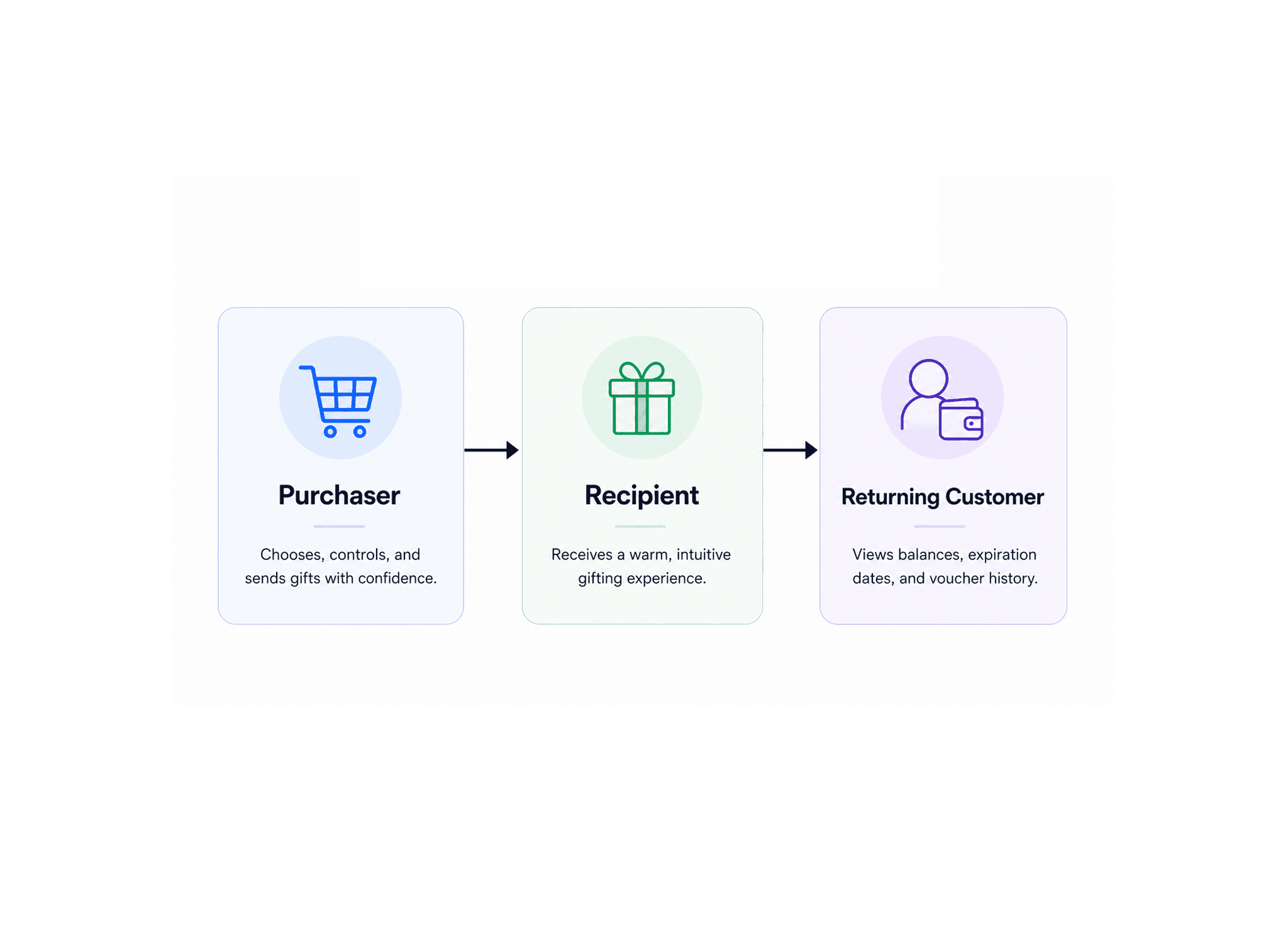
We designed for three main user groups, each with very different needs inside the same ecosystem.
The first was the purchaser, who wants to choose a gift quickly, understand where it can be used, control the amount, and send it with confidence. The second was the recipient, who expects a warm and intuitive moment of receiving a gift rather than a cold utility flow. The third was the returning PayBox customer who needs an organized personal area for viewing balances, expiration dates, and voucher history.
What We Built
We created a complete Gift Cards experience that connects several parts of the product into one cohesive journey.
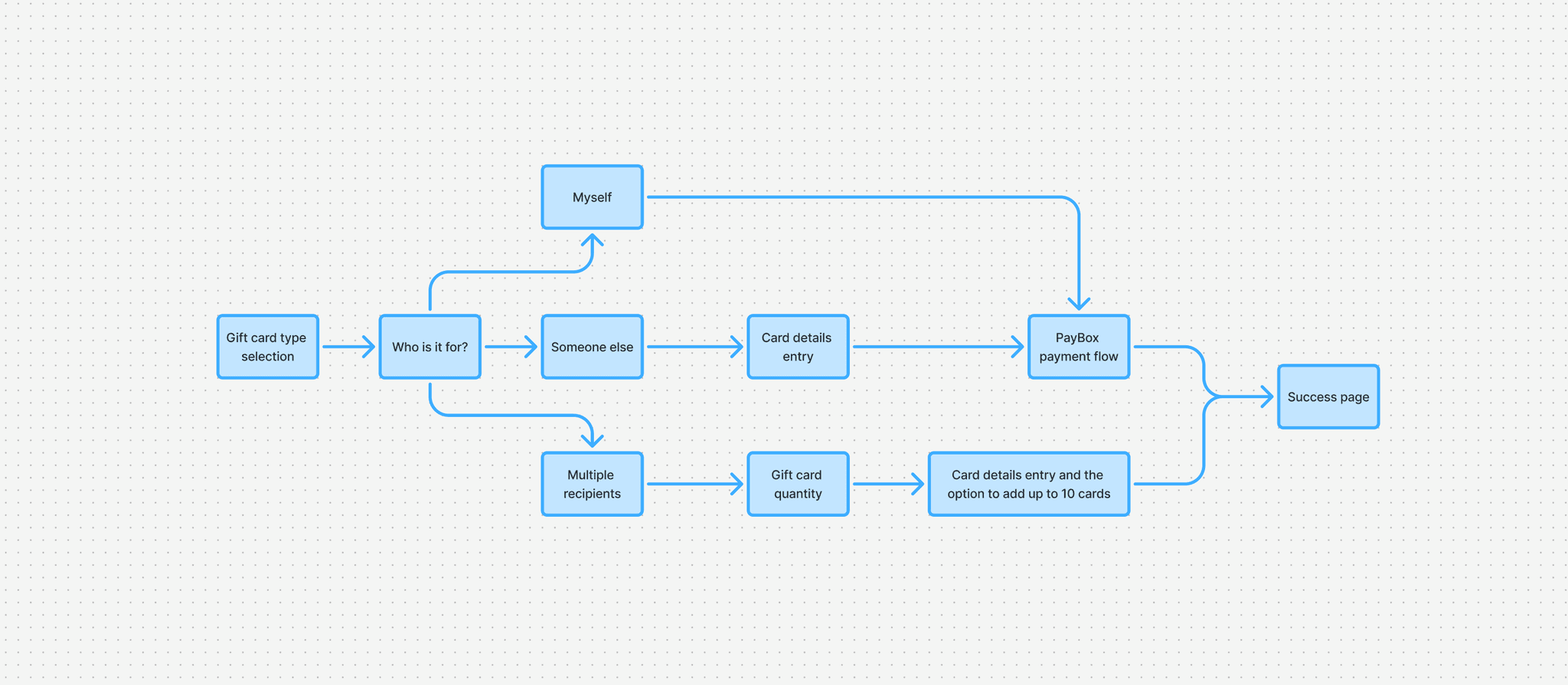
Purchase Flow: a guided flow where users pick a branded voucher, set the amount (with a minimum amount and visible discount), choose recipients, write a message, and decide whether to send now or schedule for later.
Recipient Experience: a gift-opening moment for the recipient, from a branded SMS to a celebratory opening screen, a clear voucher card with amount and balance, and simple instructions on how to redeem it.
Recipient Management: a personal area inside a WebView that shows all active vouchers, their balances, expiry dates, and usage history, including an empty state for users who have not received any gifts yet.
The goal was to build a modern gifting experience, fully embedded in PayBox and expressed through its existing design language.
Challenges & Trade-offs
One major design challenge was simplifying the flow while supporting complex edge cases like bulk gifting with repeated fields, per‑recipient details, and variable amounts under the same voucher type. The product also had to balance two partner brands, Dream Card and Terminal X, with fully branded pages inside the PayBox environment, while keeping content density stores, legal terms, instructions, and balance history from overpowering the main action on a small mobile screen.
How I Approached It
I split the experience into emotional and operational moments, tailoring each for clarity and intensity.
In emotional moments like receiving a gift or seeing the success page, I emphasized brand, warmth, and a sense of reward. In operational moments like choosing an amount, adding recipients, or checking balance history, I focused on clear hierarchy, minimal distractions, and real‑time feedback.
The result was a flow that still feels like gifting, even during structured decision‑making.

Gift Selection, Recipient, and Details
This first screen guides users through choosing the gift type, amount, and who it is meant for.
The flow was designed to feel simple and intuitive, with live validation and a clear final charge amount.

Multiple Recipients
This section supports sending the same gift type to several people at once, with up to 10 recipients in one flow. Each recipient gets their own row with name, phone number, optional email, and the ability to assign a specific amount per person.

Receiving the Gift
When the recipient opens the SMS link, they land in a festive, branded experience that explains the gift and how to redeem it. The goal was to make the opening moment feel special, clear, and easy to understand.

Personal Area
The personal area gives logged-in users a dedicated space to view and manage their active gift vouchers.
Each voucher appears as a separate card with balance, expiration date, issuer details, redemption history, and access to supporting information.

What I Learned
This project reinforced how often gifting products sit between two very different design worlds. On one side, they need emotion, celebration, and strong brand expression; on the other, they need structure, data clarity, validation, and operational trust. I also learned that the post-purchase experience matters just as much as checkout. In this case, the real product is not only the payment flow, but the entire loop of sending, opening, understanding, using, and managing the gift over time. Most of all, the project showed how thoughtful UX can make a complex system feel personal. When users understand what is happening at every stage, the product becomes more than a transaction, it becomes a gift experience.