How I created a clear work hours management system
Shift Hours
Attendance
Role
Product Designer
Timeline
10 weeks
team
2 Devs, 1 PM, me
platform
Web
The Project
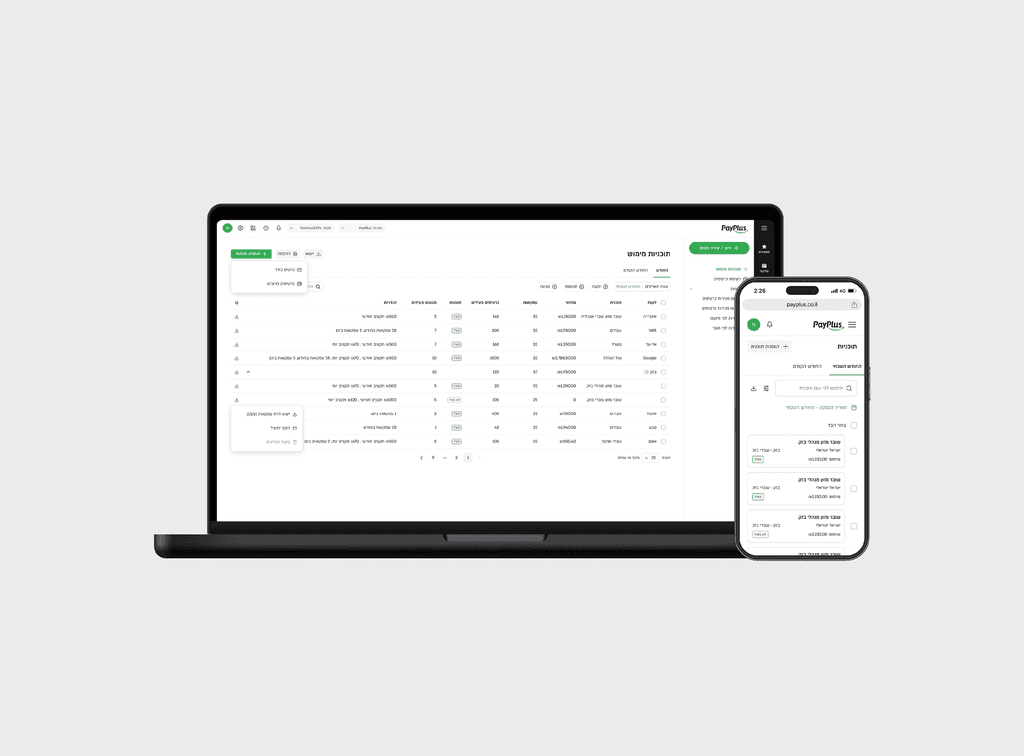
PayPlus needed a structured Clock In/Out product that could handle both simple employee actions and more advanced manager workflows. The system had to support open and closed shifts, breaks, edits, deletions, event logging, and a company-wide table view for attendance data. Because this is a core operational system, the UX had to stay clear and practical while also reflecting the underlying business logic accurately.
The Problem
Time tracking sounds straightforward until it has to work across overnight shifts, breaks, permissions, deleted employees, audit logs, and company-specific policies. The product needed to support employees clocking in and out in real time, while also giving managers the ability to correct data later without breaking the business rules. At the same time, the system had to remain trustworthy: every action needed to be traceable, and every state needed to be understandable at a glance.
My Role
👤 I translated complex product and backend requirements into a clear UX structure and a manageable product flow.
🧭 My focus was on turning logic into usable screens and making the experience scalable from employee actions to backoffice management.
⚠️ I also designed how edge cases, errors, and policy constraints should be communicated without overwhelming the user.
Who We Designed For
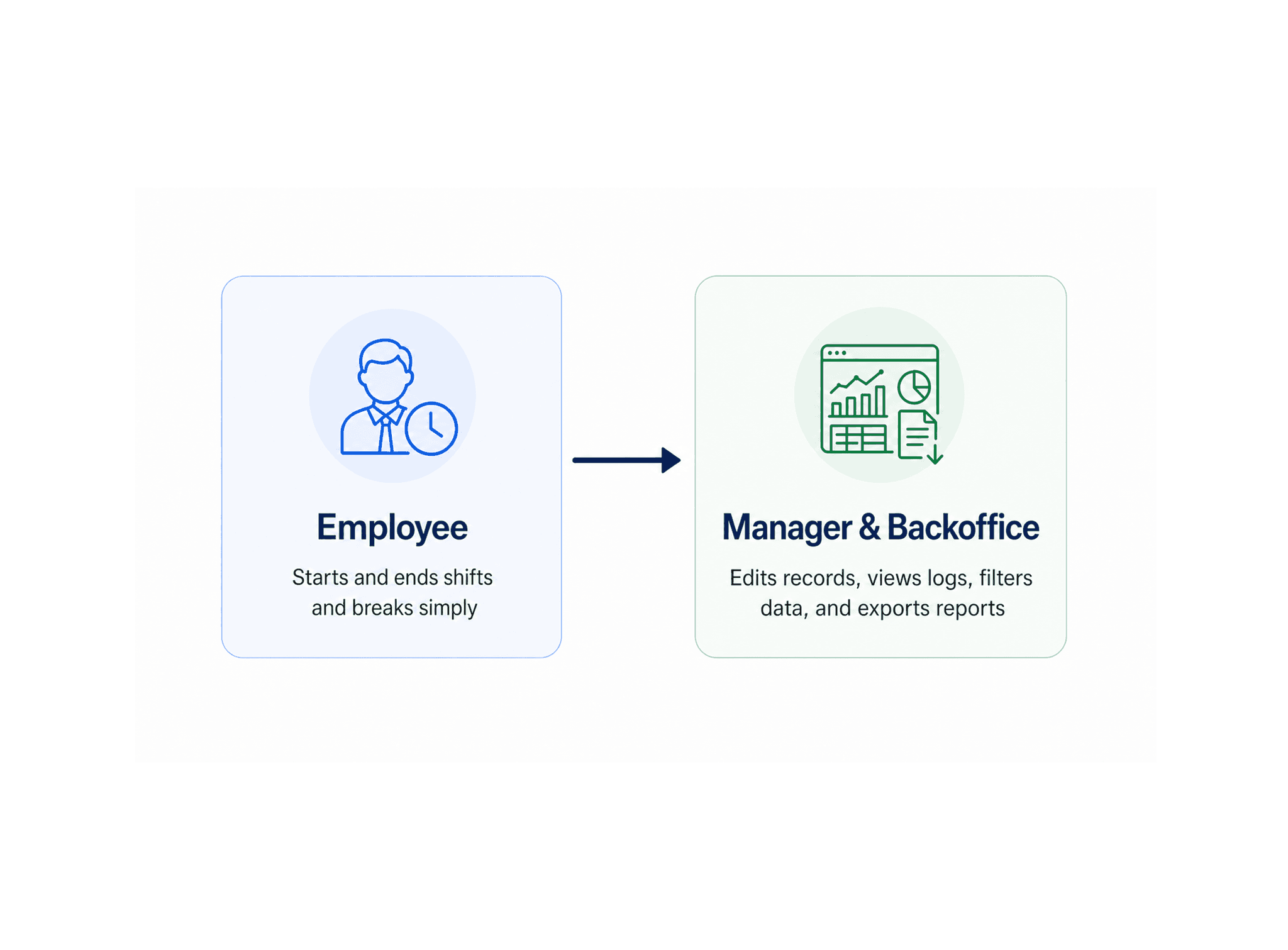
The product serves two main audiences. The first is employees, who need a simple way to start and end shifts and breaks without special training. The second is managers and backoffice users, who need more control, including editing times, deleting records softly, viewing event logs, filtering data, and exporting reports. Both audiences depend on the same data model, but they interact with it at very different levels of complexity.
What We Built
The resulting experience includes employee clock-in/out actions, break handling, shift adjustment tools, soft deletion behavior, and a full attendance table for a single company.It also includes filtering by date, status, location, employee, adjusted flag, and channel, plus detailed shift views with notes and event logs. In parallel, the system supports CSV export and a set of backend-calculated UI actions based on the current business rules and company settings.
Challenges & Trade-offs
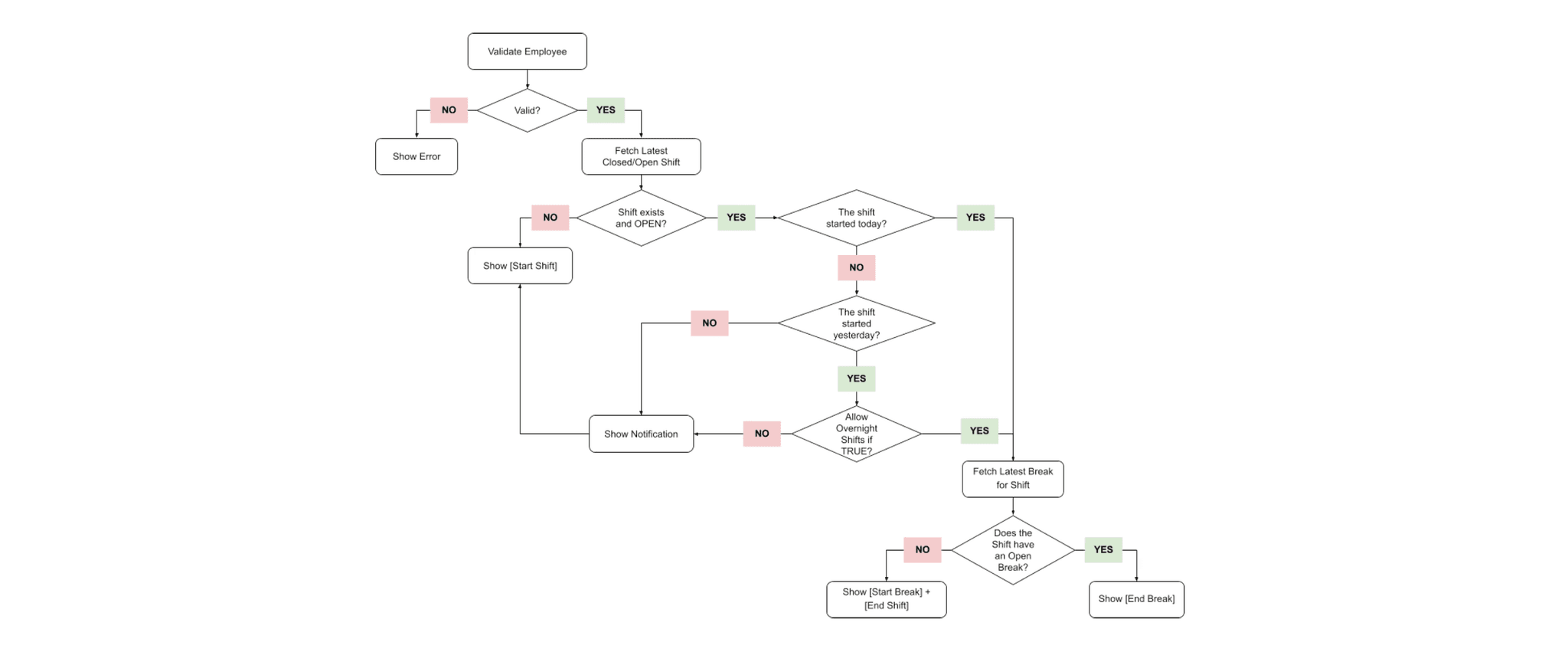
One major challenge was balancing different overnight rules for employees and managers, while keeping a simple employee flow alongside a rich admin model with adjustments, deletions, and event history. Another was maintaining clear consistency between states: open, closed and deleted as true statuses, and adjusted as just a flag, not a status.
How I Approached It
I mapped business rules into clear user journeys so the UX matched the product’s logic.
I then split the experience into employee actions, manager controls, and company reporting, and used error cases as design input, since edge cases affect quality as much as the happy path.
Shift List
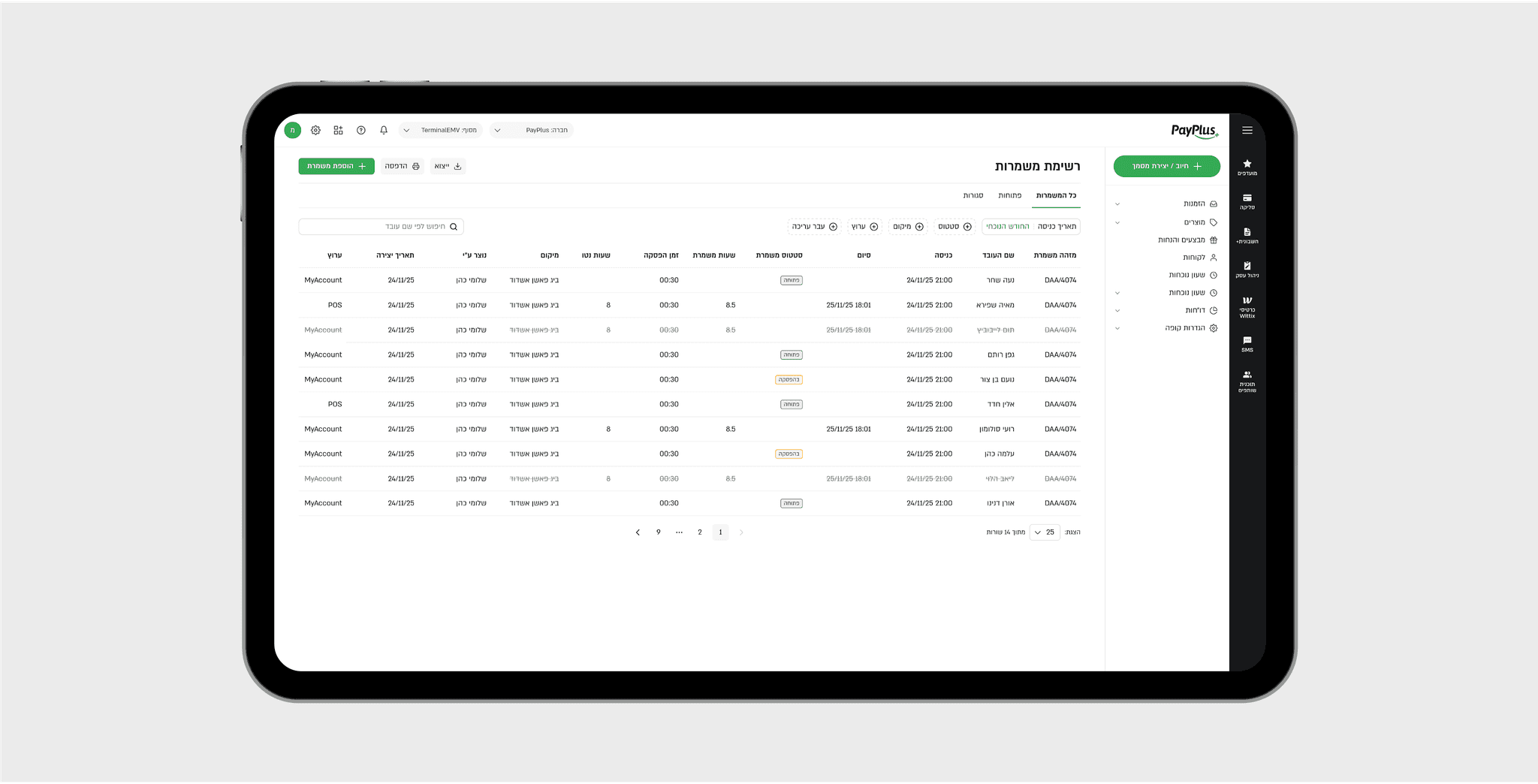
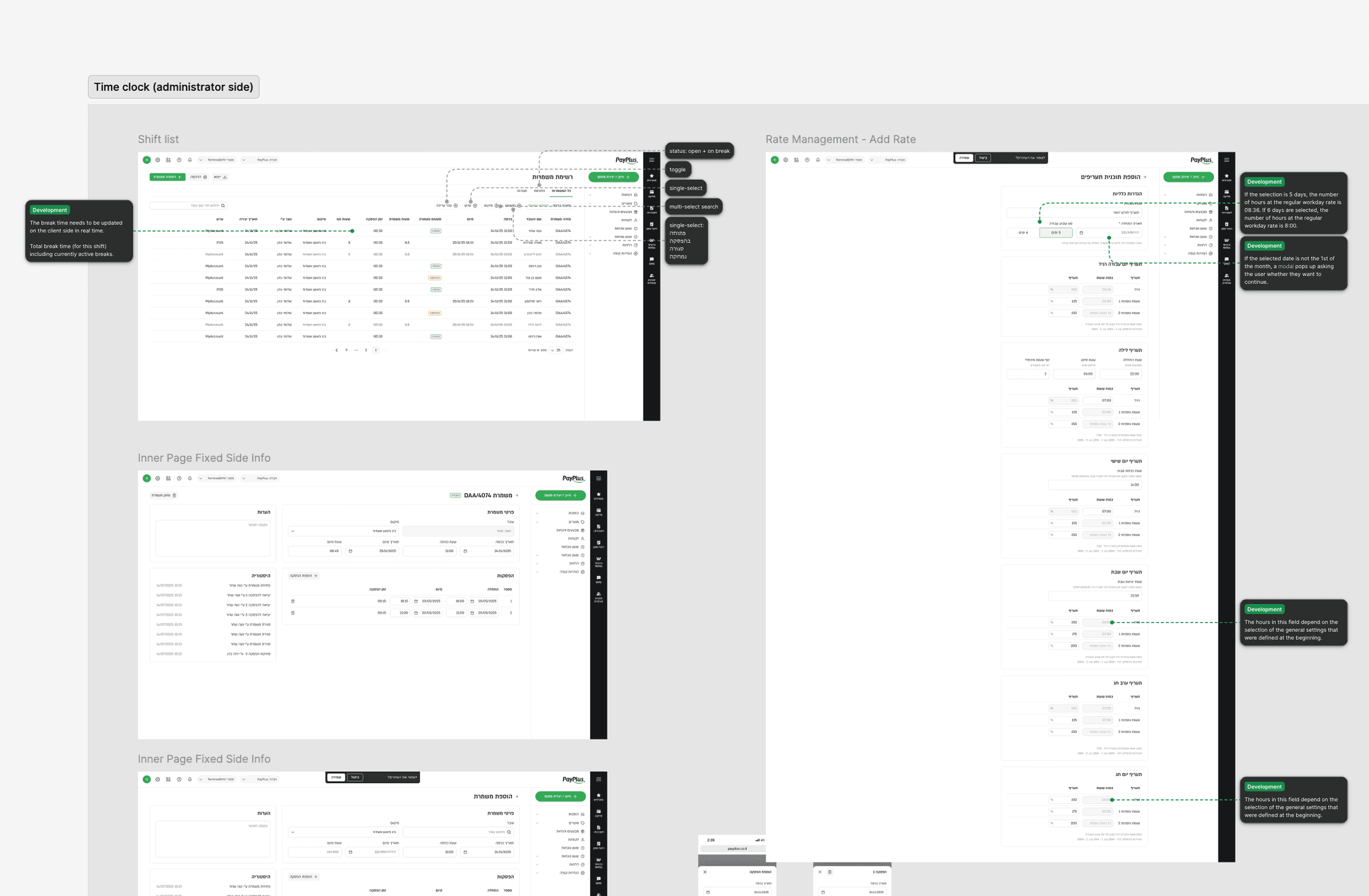
The shift list shows all company shifts in one table, including inactive or deleted employees.
It supports filtering by date, status, location, employee, adjusted flag, and channel.
From there, managers can open a full shift view with details and logs.
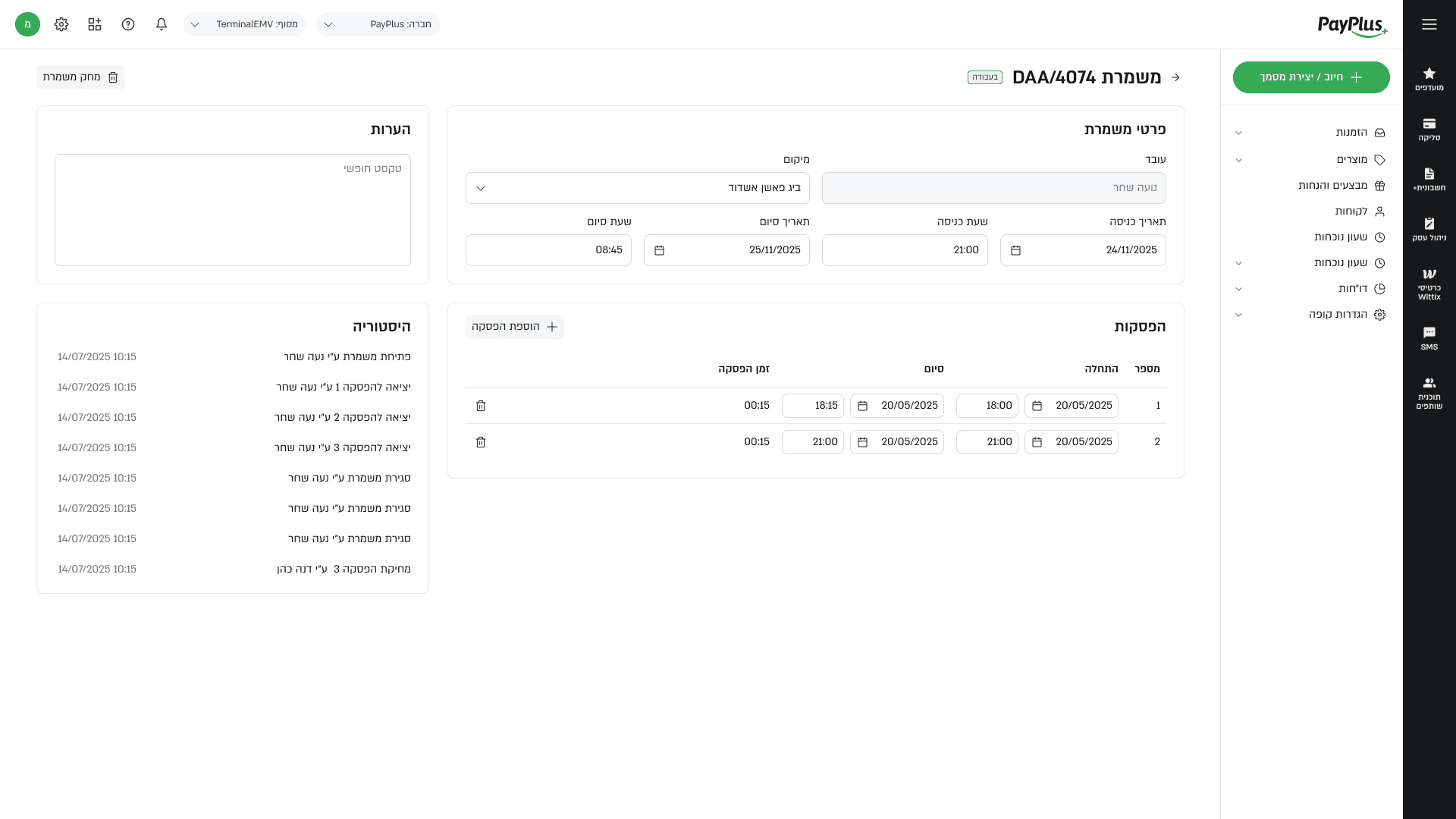
Shift Page
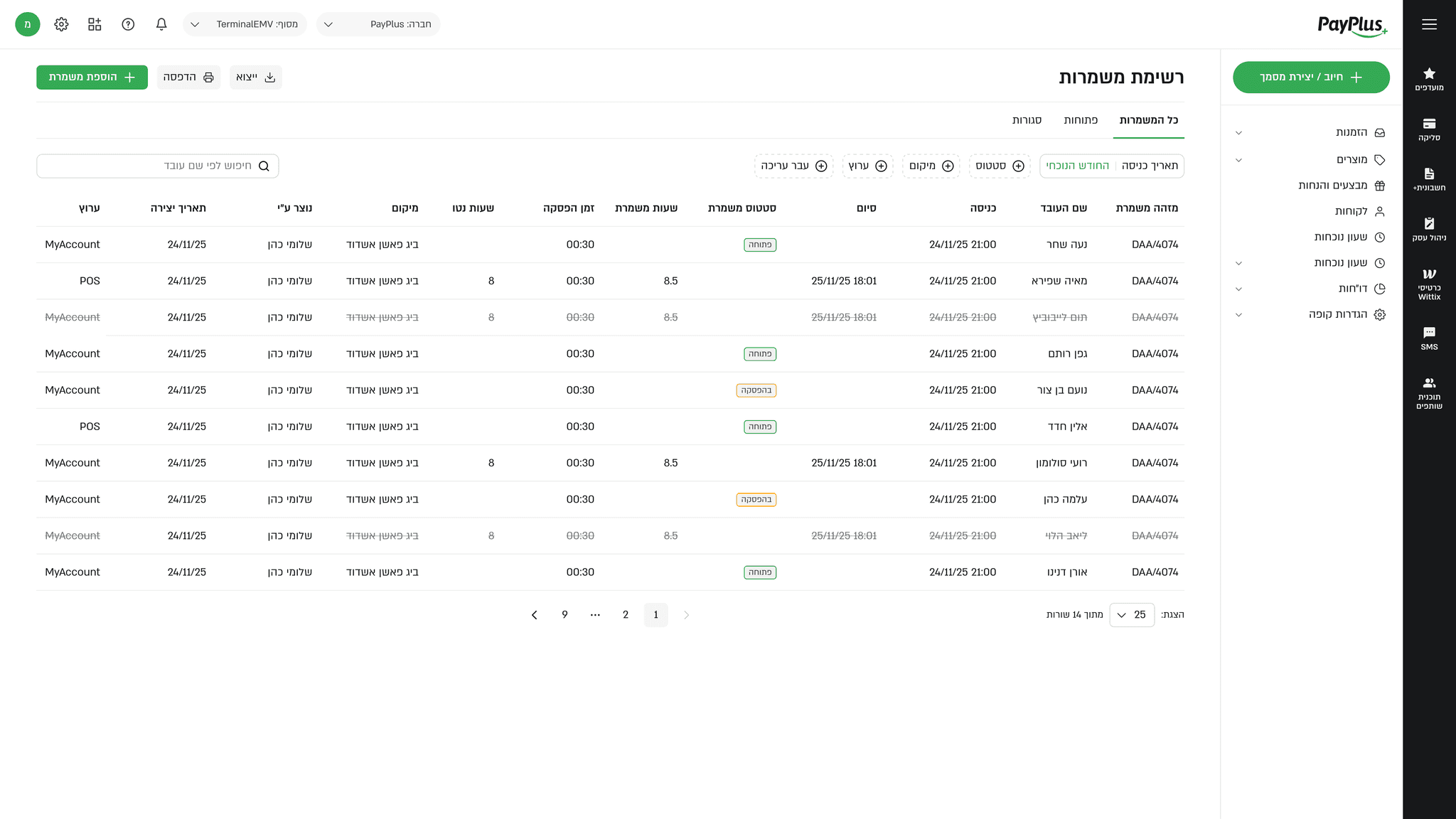
The shift page shows the full shift record in one place, including times, breaks, notes, and event history.
It gives managers a clear way to review what happened and inspect any changes or exceptions.
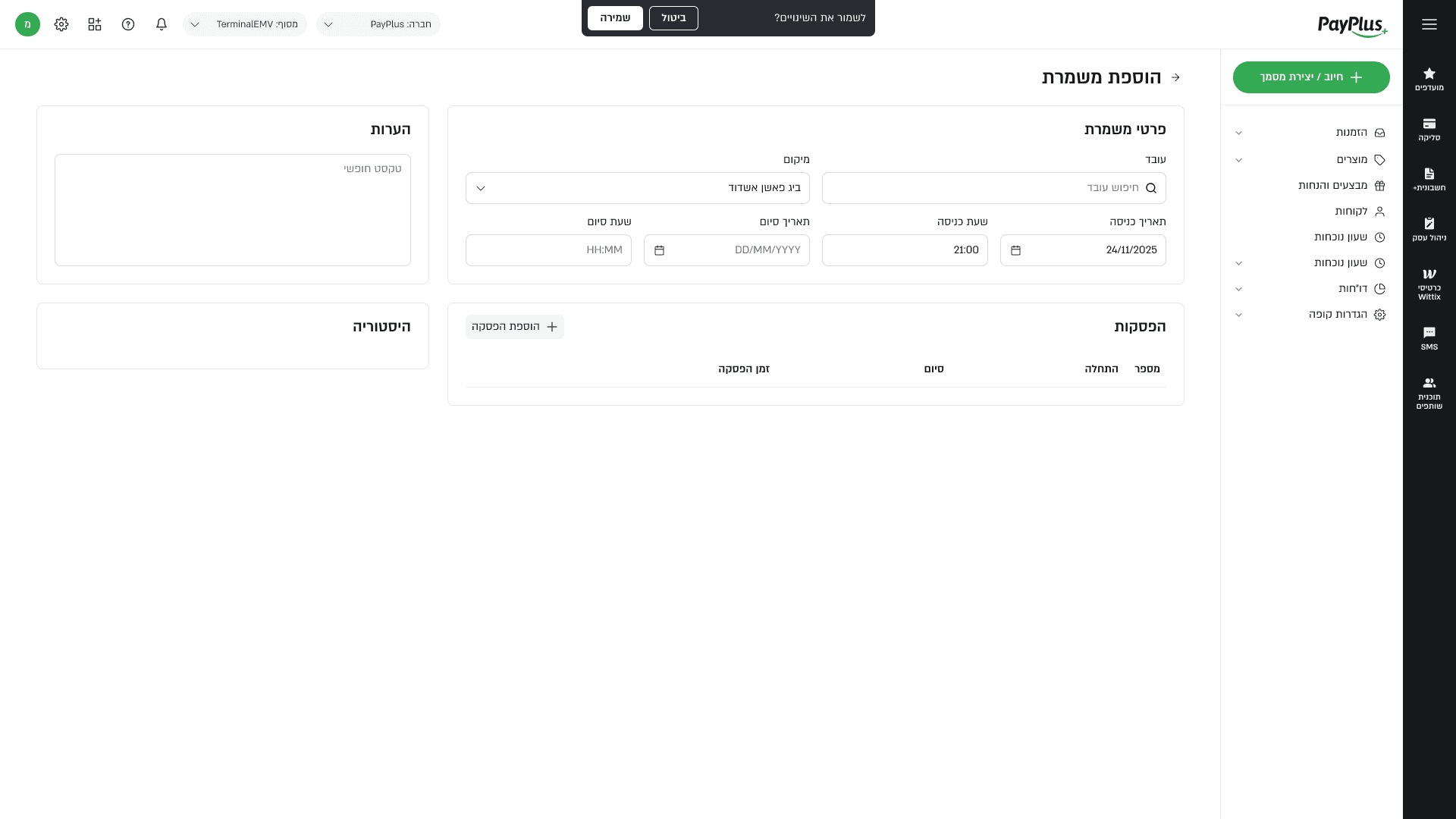
Add Shift
Adding a shift follows the business rules: the employee must exist, be active, and the location must be valid.
If everything checks out, the system creates a new OPEN shift with the current time.
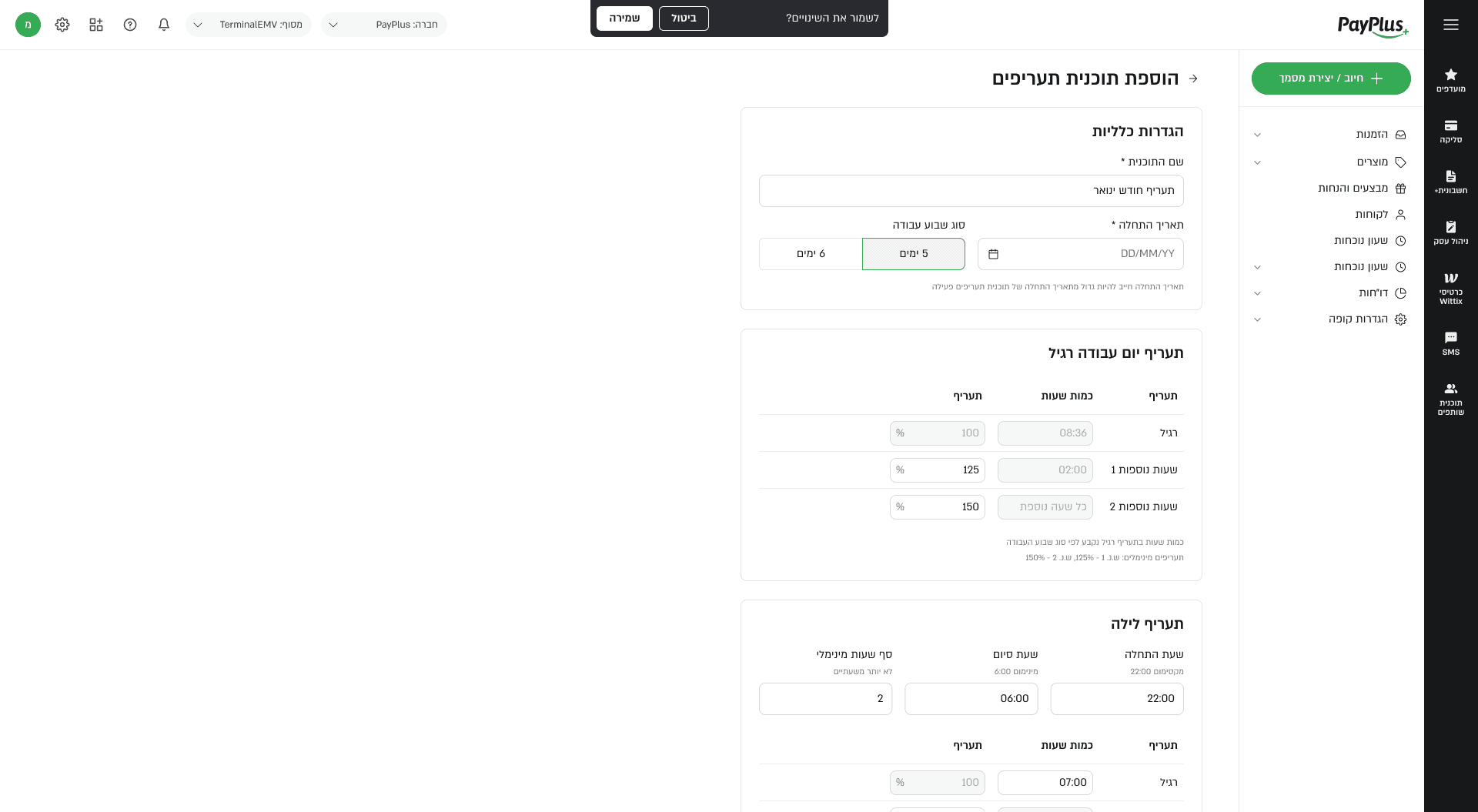
Add Rate Plan
The Add Rate Plan screen lets admins create a new time-versioned payroll plan with a unique name and effective date. It defines which overtime rules apply from that date onward, and the previous plan automatically ends the day before the new one starts. If the plan starts on a day other than the first of the month, the system shows a warning before saving.
What I Learned
This project showed how much product design depends on precision when the domain is operational and rule-heavy. A good interface here is not one that hides complexity, but one that reveals just enough logic for users to understand what is possible and what is blocked. It also reinforced how important it is to design for exception handling early, because in attendance systems the edge cases are part of the everyday product experience.